This article provides a detailed introduction to the functions and uses of "Gold Fingers" in PCBs, including interconnection points, special adapters, and external connections. It also explores design‑for‑manufacturability (DFM) aspects such as chamfering, solder‑mask opening, copper pour on routing layers, and other details. The article also covers the production process, including broken Gold Finger fabrication and electroplating techniques. The importance of DFM inspection for Gold Finger des
On computer memory modules and graphics cards, there is a row of golden conductive contacts – commonly known as "Gold Fingers".
In PCB design and manufacturing, Gold Fingers (also called Edge Connectors) serve as the interface for board‑to‑external‑network connections via connector mating.
What do you know about Gold Fingers?
We have done our homework and today we will give you a comprehensive overview of Gold Finger design in PCBs, including details on manufacturability.
Functions and Uses of Gold Fingers
· Gold Fingers as Interconnection Points
When an auxiliary PCB (such as a graphics card or memory module) is connected to the motherboard, it is inserted into one of several slots – such as PCI, ISA, or AGP slots – to transmit signals between the peripheral device (or internal card) and the computer.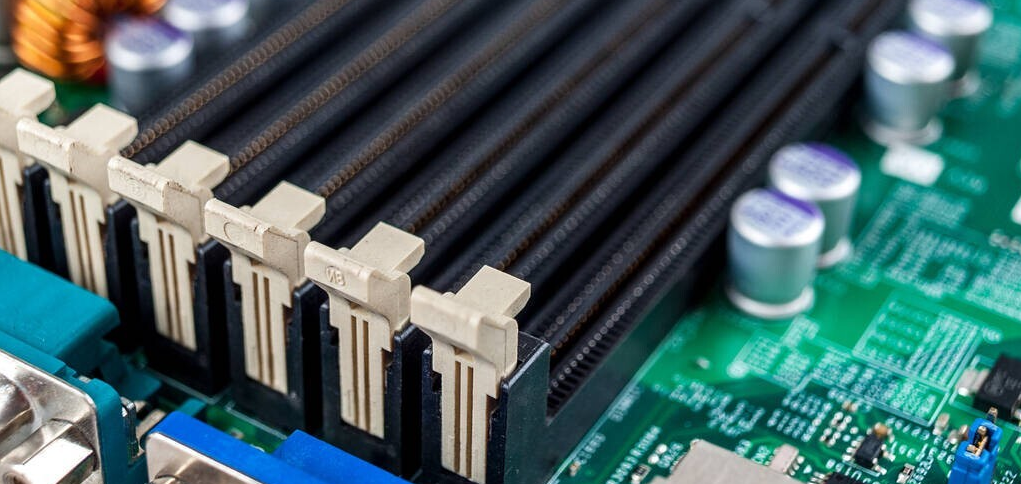
· Special Adapters
Gold Fingers can enhance motherboard functionality by allowing secondary PCBs to be plugged into the motherboard – for example, memory modules, graphics cards, sound cards, and network cards. These cards connect via Gold Fingers to the corresponding slots, enabling enhanced graphics and high‑fidelity audio. Since these cards are rarely disconnected and reconnected, the Gold Fingers typically outlast the cards themselves.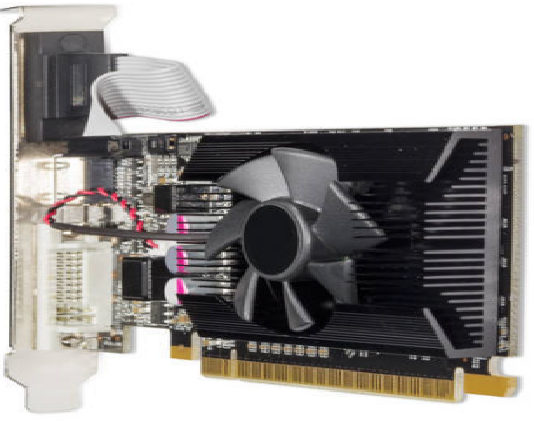
· External Connections via Gold Fingers
Computer peripherals connect to the motherboard through PCB Gold Fingers. Devices such as speakers, subwoofers, scanners, printers, and monitors plug into specific ports on the back of the computer – for example, HDMI, DisplayPort, VGA, and DVI cables. These ports are, in turn, connected to the motherboard's PCB.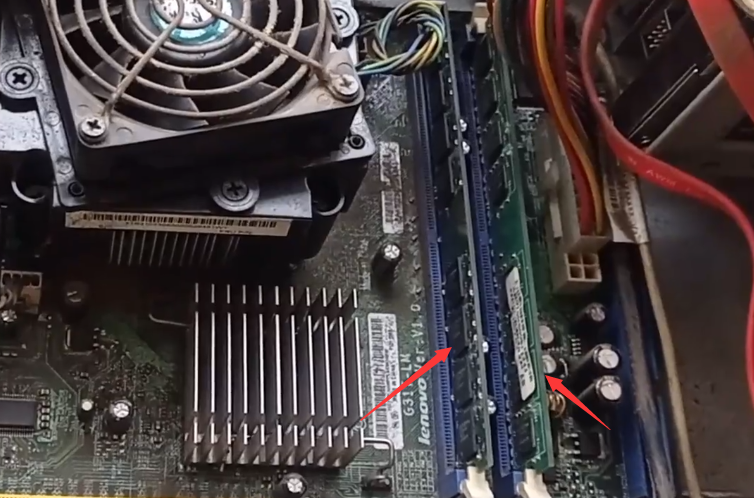
Design for Manufacturability (DFM) of Gold Fingers
1. Chamfer Design for Gold Fingers
-
The safety distance from the Gold Finger to the board edge depends on the finished board thickness and the chamfer angle. The standard chamfer angle is typically 45°. If the Gold Finger is too close to the board edge, copper must be pulled back according to specific parameters to avoid exposed copper. If reducing the Gold Finger length is not acceptable, follow the recommended safety‑distance parameters.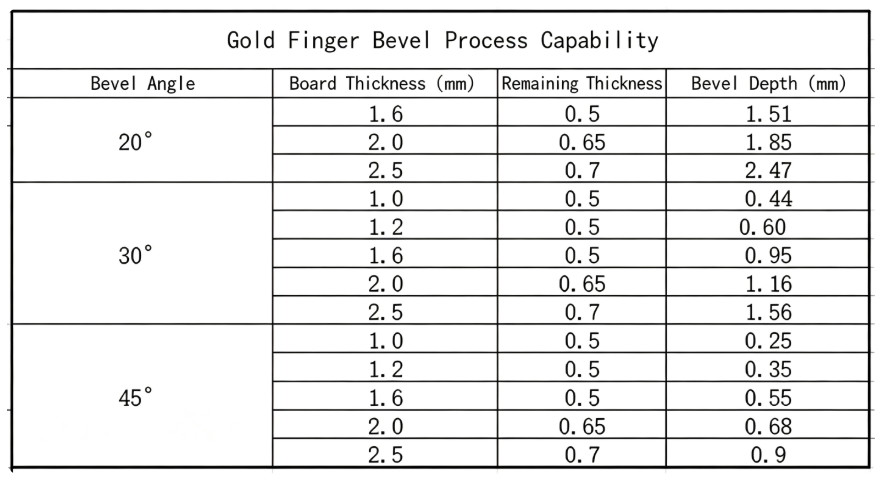
2. Solder‑Mask Opening Design
To facilitate card insertion, the Gold Finger area should have no solder mask (full opening). If solder mask is left between the fingers, repeated insertion/removal may cause the ink to peel off, preventing proper contact with the slot.
-
The Gold Finger (and tin‑finger) area should have a solder‑mask opening approximately 10 mil larger than the board edge.
-
The solder‑mask opening should be 4 mil larger than the copper pad on each side. Ensure that the opening does not expose copper near the surrounding copper areas; otherwise, copper must be removed.
-
Vias within 2 mm of the Gold Finger area must not be opened (exposed).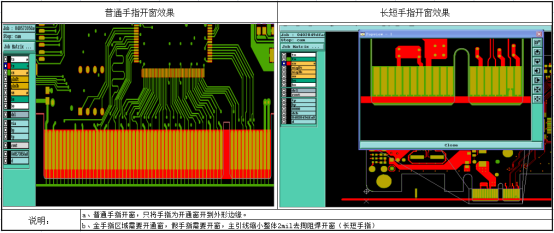
3. Board Corner Treatment
To facilitate card insertion, the board outline at the Gold Finger area must be chamfered – either as a bevel or a radius, depending on preference. If the board corners are not chamfered, the sharp edges may damage the slot during insertion/removal, reducing product reliability.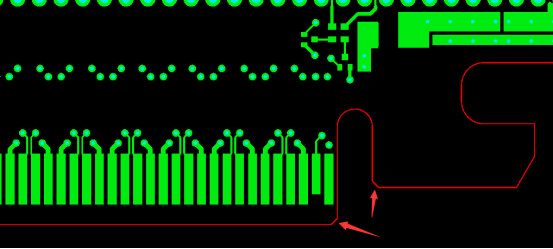
4. Copper Pour on Routing Layers
To facilitate card insertion, it is best not to place copper pours in the Gold Finger area on the outer layers. If two or more Gold Fingers share the same net and are connected by a copper pour, they will be produced as a single connected block rather than individual fingers, affecting insertion ease.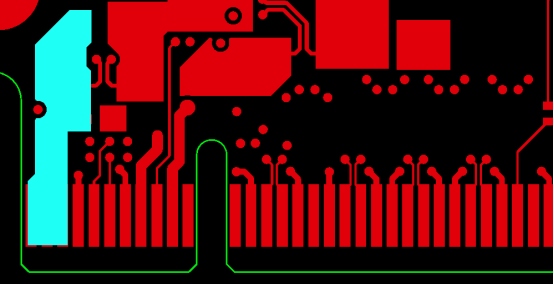
5. Long and Short Gold Finger Design
-
For long‑and‑short Gold Finger designs, the main lead is 40 mil, the secondary lead is 20 mil, and the connection point is 6 mil. The spacing between the Gold Finger pad and the 20‑mil lead should be 8 mil. After adding the leads, the main lead should be positioned 8 mil away from the long Gold Finger.
-
When the main lead enters the board, it should be connected with an angled line. If there is a large slot next to the Gold Finger, the lead should be rounded rather than right‑angled.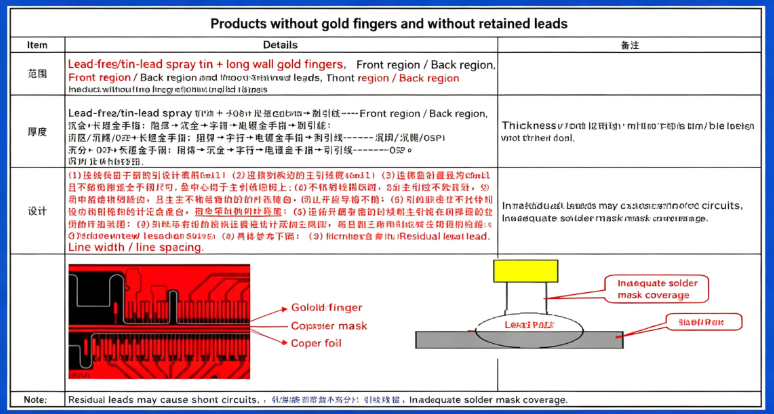
6. Panelisation Design
-
For Gold Finger boards with a single‑board size smaller than 40 mm × 40 mm, chamfering must be performed before routing the individual board outline. Before chamfering, the board should first be routed into a rectangular strip. The CAM department should add locating holes on both sides of the plating bus for the second routing operation, and a CNC step should be added before chamfering in the MI (manufacturing instructions). Automatic chamfering requires a Gold Finger width of at least 40 mm.
-
Gold Finger boards should use an interlocking panelisation method with the Gold Fingers facing outward. When arranging the panel, the Gold Fingers should preferably face inward to facilitate the addition of electroplating leads.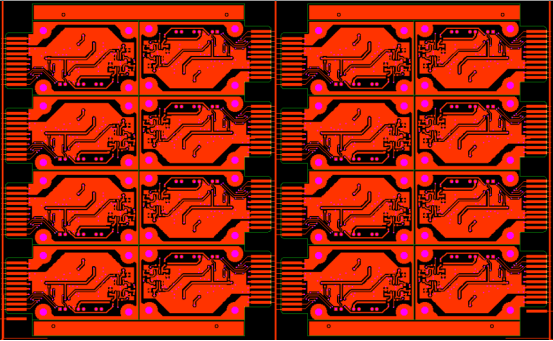
PCB Production of Gold Fingers
· Broken Gold Finger Fabrication
Process flow for broken Gold Fingers:
Cutting → Inner‑layer imaging → Inner‑layer etching → Inner‑layer AOI → Brown oxide → Lamination → Drilling → Electroless copper → Panel plating → Outer‑layer imaging → Pattern plating → Outer‑layer etching → Outer‑layer AOI → Solder‑mask printing → Solder‑mask imaging → Solder‑mask inspection → Legend printing → Solder‑mask printing 2 → Solder‑mask imaging 2 → ENIG → Gold Finger plating → Surface QC inspection → Film stripping 1 → Outer‑layer imaging 2 → Developing 2 → Outer‑layer etching 2 → Film stripping → Routing → Gold Finger chamfering → Electrical testing → Final inspection → Shipping.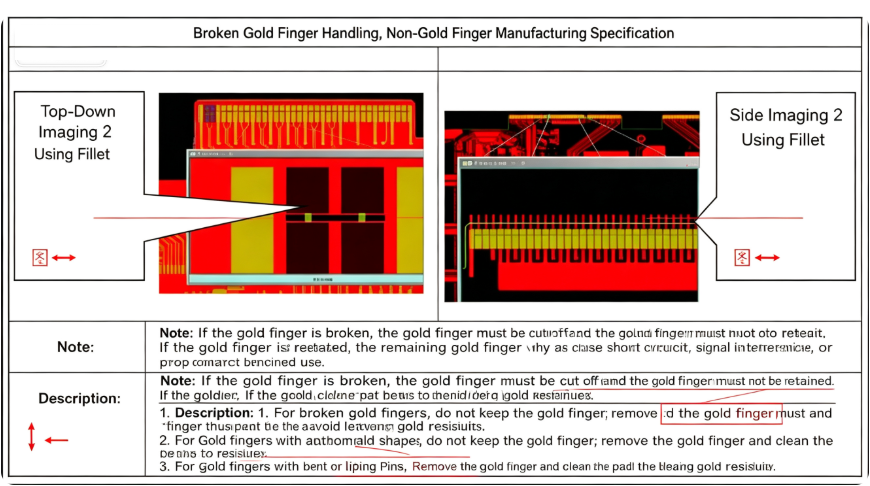
· CAM Compensation
-
When engineering CAM prepares data for multi‑layer boards with Gold Finger (gold‑tab) processing, for standard products, the inner‑layer copper pull‑back in the Gold Finger area should be 80 mil; for optoelectronic products and memory modules, the pull‑back should be 40 mil.
-
For boards that do not require Gold Finger processing but still require chamfering, the copper pull‑back should follow the same requirements as for Gold Fingers.
-
The Gold Finger lead width is 12 mil and should be compensated together with the traces. The high‑current Gold Finger width is 40 mil, and its length is the same as the lead.
-
For optoelectronic products using the "gold plating + Gold Finger" process, the pad traces are not compensated. The distance from the Gold Finger to the board edge should be ≥ 0.5 mm. For board thickness tolerances of ±0.1 mm, auxiliary copper should be added in the panelisation gaps around the Gold Fingers, and 0.4 mm non‑plated holes should be added at the outline corners of the Gold Finger area.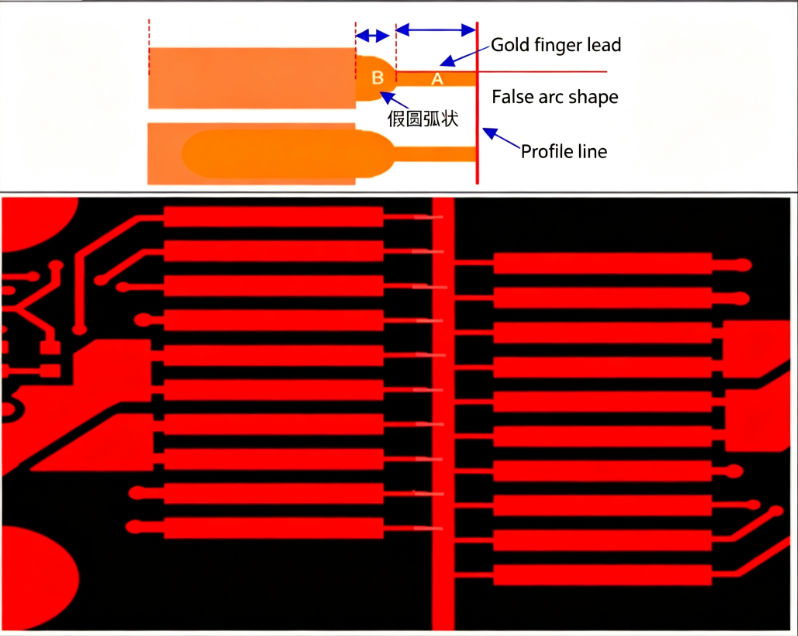
· Electroplated Nickel Gold
Thickness can reach 3‑50 µ". Due to its excellent conductivity, oxidation resistance, and wear resistance, it is widely used on Gold Finger PCBs that require frequent insertion/removal or are subject to regular mechanical friction. However, because electroplated gold is very expensive, it is typically applied only locally to areas such as Gold Fingers.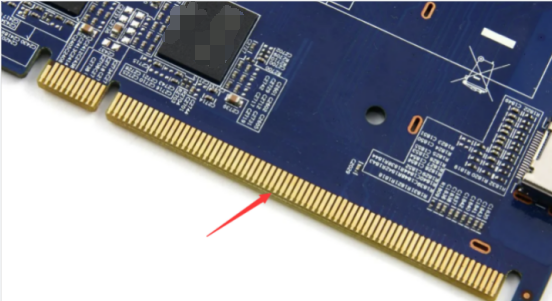
· Electroless Nickel Immersion Gold (ENIG)
Standard thickness is 1 µ", with a maximum of 3 µ". Owing to its good conductivity, flatness, and solderability, ENIG is widely used on high‑precision PCBs with features such as keypads, wire‑bonded ICs, and BGAs. For Gold Finger PCBs that do not have high wear‑resistance requirements, ENIG over the entire board is also an option. ENIG is significantly less costly than electroplated gold. The colour of the ENIG finish is golden yellow.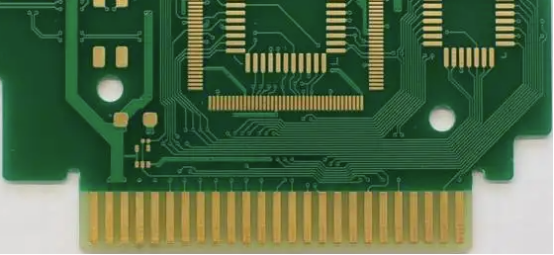
DFM Inspection for Gold Fingers
In addition to the DFM design considerations mentioned above, you can use software such as DFM to inspect Gold Finger design files before production, identifying potential manufacturability issues in advance and avoiding problems during manufacturing.
Gold Finger products generally have high production costs. If a problem occurs during manufacturing and is not detected until the finished product stage, the losses can be significant. Therefore, it is highly recommended to use DFM software to inspect design files in advance, reducing costs and improving production efficiency.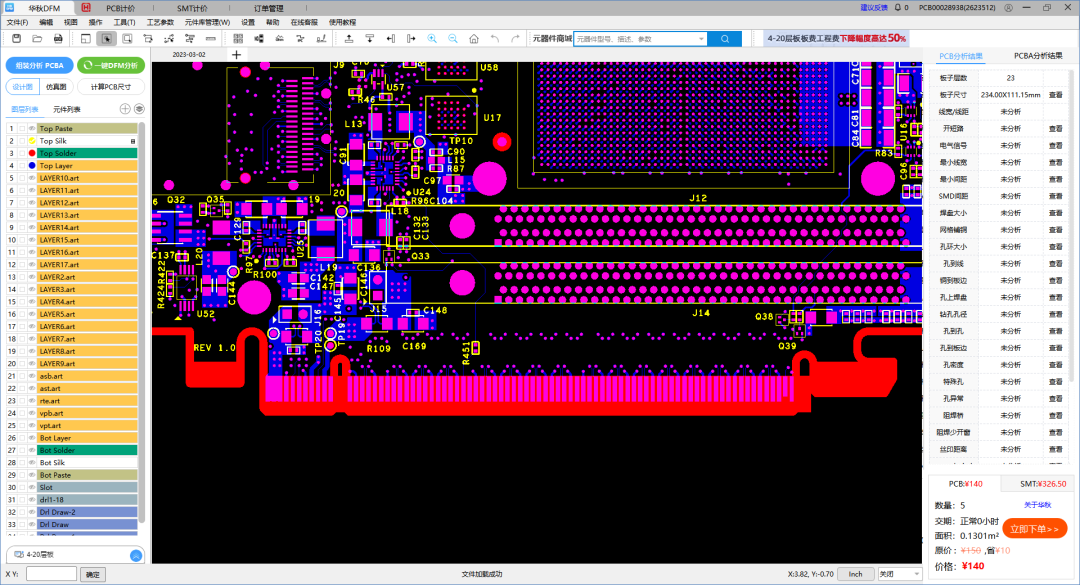
About Maxipcb
Maxipcb empowers innovators to turn cutting-edge technologies into reality.We offer one-stop solutions for design, simulation, testing, PCB manufacturing, component procurement and SMT assembly, enabling efficient development, rapid deployment and risk control across the full product lifecycle.
Serving the world in communications, industrial automation, aerospace, automotive, semiconductor and beyond, we build a safer, more connected future together.

