For electronic equipment, heat is generated during operation, causing the internal temperature to rise rapidly. If this heat is not dissipated in a timely manner, the equipment will continue to heat up, components may fail due to overheating, and the overall reliability of the electronic system will decline.
For electronic equipment, heat is generated during operation, causing the internal temperature to rise rapidly. If this heat is not dissipated in a timely manner, the equipment will continue to heat up, components may fail due to overheating, and the overall reliability of the electronic system will decline.
Therefore, effective thermal management of the circuit board is very important. PCB heat dissipation is a critical aspect – so what are the techniques for PCB heat dissipation? Let us discuss them below.
01: Heat Dissipation Through the PCB Board Itself
The most widely used PCB substrates are copper‑clad epoxy/glass fabric laminates or phenolic resin glass fabric laminates, with a small number of paper‑based copper‑clad laminates still in use.
Although these substrates have excellent electrical and processing properties, their thermal conductivity is poor. As a heat dissipation path for high‑heat components, the PCB resin itself cannot be relied upon to conduct heat; instead, heat is dissipated from the component surfaces into the surrounding air.
However, as electronic products have moved towards miniaturisation, high‑density mounting, and high‑heat‑generation assembly, relying solely on the small surface areas of components for heat dissipation is no longer sufficient.
At the same time, with the widespread use of surface‑mount components such as QFP and BGA packages, a large amount of heat generated by components is transferred to the PCB. Therefore, the best way to improve heat dissipation is to enhance the thermal conductivity of the PCB itself, allowing heat to be conducted or radiated away through the board.
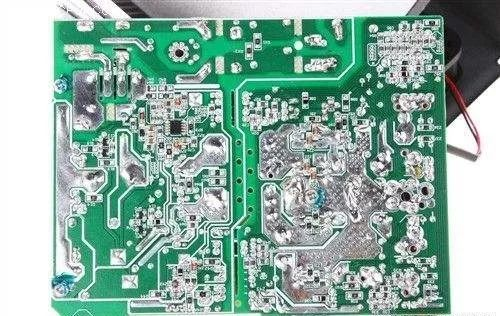
Add heat‑dissipating copper pours and large power/ground copper areas:
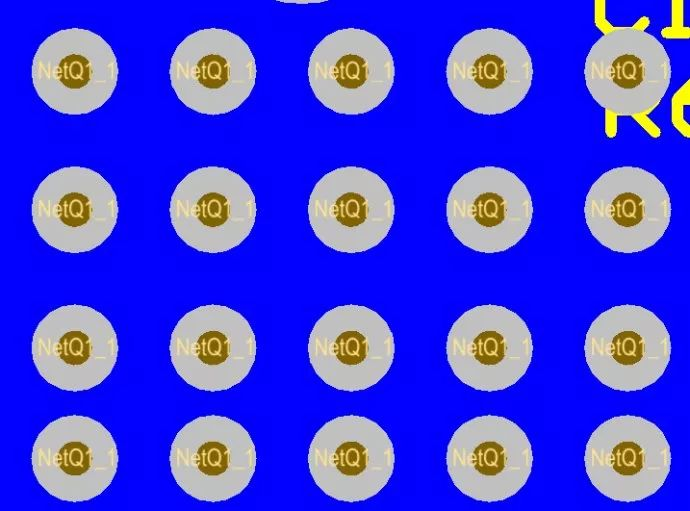
Thermal vias:
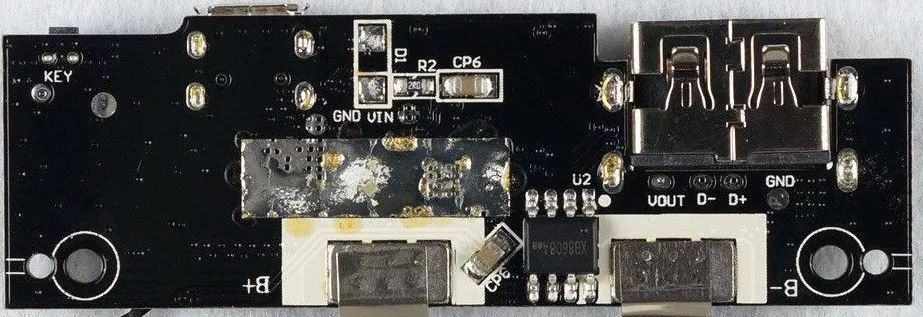
Exposed copper on the back of ICs to reduce thermal resistance between copper and air:
PCB Layout – Thermal Considerations
Place temperature‑sensitive components in the coolest airflow zone.
Place temperature‑monitoring devices at the hottest locations.
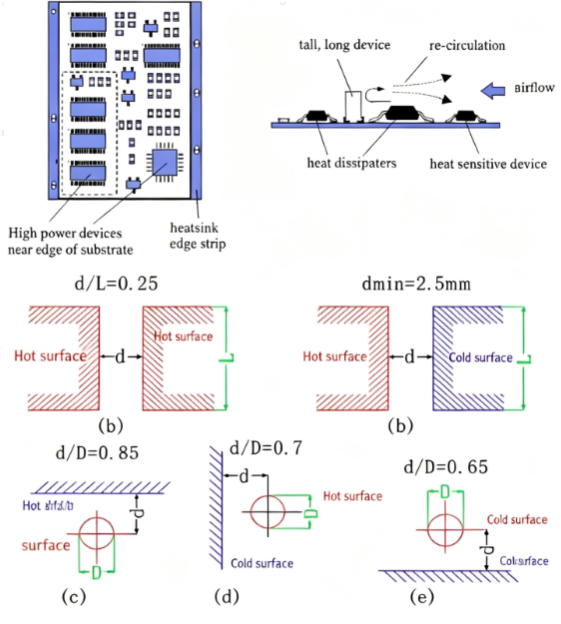
Components on the same PCB should be arranged according to their heat generation and heat tolerance. Components that generate little heat or have poor heat resistance (such as small‑signal transistors, small‑scale ICs, electrolytic capacitors, etc.) should be placed at the upstream end (inlet) of the cooling airflow. Components that generate significant heat or have good heat resistance (such as power transistors, large‑scale ICs, etc.) should be placed downstream in the cooling airflow.
In the horizontal direction, high‑power components should be placed as close as possible to the edge of the PCB to shorten the heat transfer path. In the vertical direction, high‑power components should be placed as high as possible on the board to reduce their thermal impact on other components.
Heat dissipation from PCBs inside equipment relies mainly on air flow. Therefore, the air flow path should be studied during design, and components or PCBs should be arranged accordingly.
Air always tends to flow through paths of least resistance. Therefore, when placing components on the PCB, avoid leaving large open areas in any zone. The same principle applies to the arrangement of multiple PCBs within the overall system.
Temperature‑sensitive components should be placed in the coolest areas (such as the bottom of the equipment) and should never be placed directly above heat‑generating components. Where possible, multiple components should be staggered horizontally.
Place the components with the highest power consumption and greatest heat generation near the best heat‑dissipating locations. Do not place high‑heat components in the corners or at the edges of the PCB unless a heat sink is provided nearby.
When designing power resistors, choose physically larger packages where possible, and ensure sufficient clearance around them for heat dissipation.
Recommended component spacing:
02: Use Heat Sinks or Heat Spreaders for High‑Heat Components
When only a few components (fewer than 3) generate significant heat, a heat sink or heat pipe can be attached to the component. If the temperature still cannot be reduced, a fan‑cooled heat sink can be used to enhance heat dissipation.
When there are many heat‑generating components (more than 3), a large heat spreader or heat‑spreading cover can be used. This is a custom heat sink designed to match the positions and heights of the heat‑generating components on the PCB, or a large flat heat spreader with cut‑outs for components of different heights. The cover is placed over the component side to make contact with each component for heat dissipation.
However, because component heights are often inconsistent after soldering, the cooling effect may not be optimal. Adding a soft thermal phase‑change pad between the components and the heat spreader can improve thermal contact.
03: For Equipment Using Free Convection Air Cooling
It is best to arrange integrated circuits (or other components) in a vertical orientation (long axis aligned with airflow) or, alternatively, in a horizontal orientation, depending on the airflow direction.
04: Use Rational Routing Design to Improve Heat Dissipation
Because the resin in the laminate has poor thermal conductivity while copper traces and plated holes are good thermal conductors, increasing the copper coverage ratio and adding thermal vias are the main means of heat dissipation. To evaluate the heat dissipation capability of a PCB, it is necessary to calculate the equivalent thermal conductivity (keq) of the composite material – the PCB insulating substrate – which is composed of materials with different thermal conductivities.
05: Partition Components According to Heat Generation
Components on the same PCB should be arranged according to their heat generation and tolerance. Low‑heat or heat‑sensitive components (such as small‑signal transistors, small‑scale ICs, electrolytic capacitors, etc.) should be placed upstream (inlet) of the cooling airflow. High‑heat or heat‑tolerant components (such as power transistors, large‑scale ICs, etc.) should be placed downstream.
06: Place High‑Power Components Near Board Edges Horizontally and Near the Top Vertically
In the horizontal direction, place high‑power components as close to the PCB edge as possible to shorten the heat conduction path. In the vertical direction, place them as high as possible on the board to reduce the thermal impact on other components.
07: Study Airflow Paths for Board‑Level Heat Dissipation
Heat dissipation from PCBs inside equipment relies mainly on air flow. Therefore, the airflow path should be studied during design, and components or PCBs should be arranged accordingly.
Air always flows through paths of least resistance. Avoid leaving large empty areas when placing components on the PCB. The same consideration applies when arranging multiple PCBs within the equipment.
08: Place Temperature‑Sensitive Components in the Coolest Areas
Temperature‑sensitive components should be placed in the coolest areas (such as the bottom of the equipment) and should never be placed directly above heat‑generating components. Where possible, multiple components should be staggered horizontally.
09: Place High‑Power Devices Near the Best Heat Dissipation Locations
Place the components with the highest power consumption and greatest heat generation near the best heat‑dissipating locations. Do not place high‑heat components in the corners or at the edges of the PCB unless a heat sink is provided nearby. When designing power resistors, choose physically larger packages where possible, and ensure sufficient clearance around them for heat dissipation.
10: Avoid Hot Spots on the PCB
Distribute power as evenly as possible across the PCB to maintain uniform surface temperature. While achieving perfectly uniform distribution is difficult in practice, it is essential to avoid regions with excessively high power density, which could create hot spots and affect the normal operation of the entire circuit. Where conditions permit, performing thermal analysis of the PCB is highly recommended. Some professional PCB design software now includes thermal analysis modules that can help designers optimise the layout.

