PCB solder mask inks can be classified by curing method: photosensitive developing inks, thermally cured inks, and UV‑cured inks. By board type, there are solder mask inks for rigid PCBs, flexible PCBs (FPC), and aluminium‑based PCBs (which can also be used on ceramic boards).
PCB solder mask inks can be classified by curing method: photosensitive developing inks, thermally cured inks, and UV‑cured inks. By board type, there are solder mask inks for rigid PCBs, flexible PCBs (FPC), and aluminium‑based PCBs (which can also be used on ceramic boards).
Vias are generally divided into three categories: blind vias, buried vias, and through‑holes. Blind vias are located on the top and bottom surfaces of the PCB and have a certain depth, used to connect the outer layer circuits to the inner layers. Buried vias are internal connection holes within the board and are not visible on the surface. Through‑holes pass completely through the entire PCB, connecting the top layer to the inner layers and then to the bottom layer.
In PCB solder mask processing, common via treatment methods include: via tenting, via opening, via plugging with solder mask, resin plugging, and copper‑filling plating. Each of these five methods has its own characteristics, functions, and corresponding application scenarios.
Five Via Treatment Methods and Their Application Scenarios
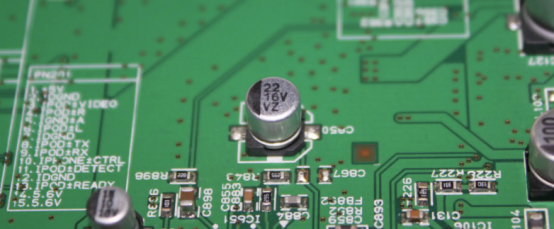
No. 1: Via Tenting (Covered with Solder Mask)
Via tenting means that the via pad is covered with solder mask, and the pad has no solder exposed. Most circuit boards use this process. It is recommended that the via diameter for tenting not exceed 0.5 mm, as larger apertures may cause quality issues due to excessive ink accumulation inside the hole. When converting PCB design files to Gerber files, the via opening must be disabled; otherwise, the vias will be opened rather than tented.
No. 2: Via Opening (Exposed Pad)
Via opening means that the via pad is not covered with solder mask, leaving the copper exposed. After surface treatment, the pad is finished with ENIG or HASL. The purpose of via opening is that during wave soldering, solder flows into the via wall, increasing the current‑carrying capacity of the hole. The effect of via opening is similar to that of plated through‑hole pads. When converting to Gerber files, there is no need to disable via openings.

No. 3: Via Plugging with Solder Mask
Via plugging with solder mask means that the via hole is filled with solder mask ink. During production, an aluminium plate is used to force the solder mask into the via, and then the entire board is printed with solder mask. The purpose of via plugging with solder mask is to prevent solder from flowing through the via during wave soldering and causing short circuits on the component side. When converting design files to Gerber files, via openings must also be disabled.
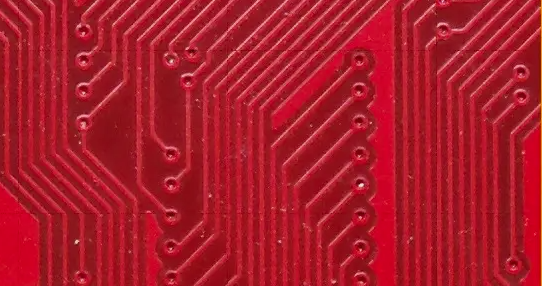
No. 4: Resin Plugging
Resin plugging means that the via hole is filled with resin, and then the pad is plated flat. It is suitable for any type of via with one‑side opening or for via‑in‑pad with openings on both sides. The purpose of resin plugging: from a process perspective, blind and buried vias are drilled before lamination. If the holes are not plugged with resin, the prepreg resin may flow into the holes during lamination, causing resin starvation and delamination. From a design perspective, if a via is drilled in a pad and not resin‑plugged and plated flat, the reduced soldering area may lead to poor solder joints.
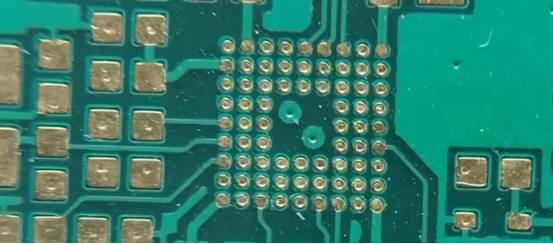
No. 5: Copper Paste Filling
Copper paste filling means that the via hole is filled with copper paste, and then the pad is plated flat. It is suitable for any type of via with one‑side opening or for via‑in‑pad with openings on both sides. The purpose of copper paste filling is for via‑in‑pad applications requiring high current. The cost of copper paste filling is significantly higher than that of resin plugging. For design files, simply disable the via opening.
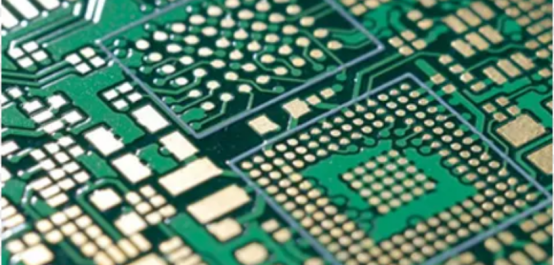
Solder Mask Design for Vias
01 – Altium: Via Tenting vs. Opening
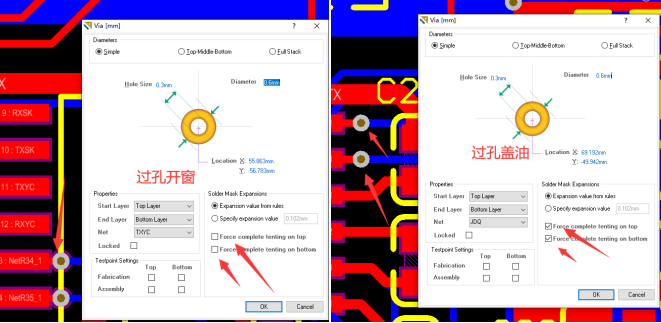
In Altium, to set via tenting or opening, as shown in the figure: checking the marked option means tenting (covered), while unchecking means opening (exposed). To set a single via, double‑click on it and check the options as indicated in the image. To apply tenting to all vias, use the "Find Similar Objects" function to select all vias, then press F11 to open the PCB Inspector, and check the option as shown.
02 – PADS: Via Tenting vs. Opening
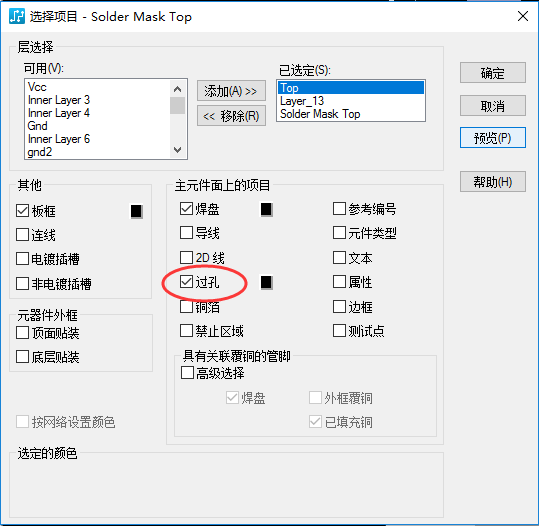
In PADS, to set via tenting or opening, as shown in the figure: when generating Gerber files, click on the solder mask layer, and in the pop‑up window, click "Layer" – checking the via option enables opening, while unchecking it enables tenting.
03 – Allegro: Via Tenting vs. Opening
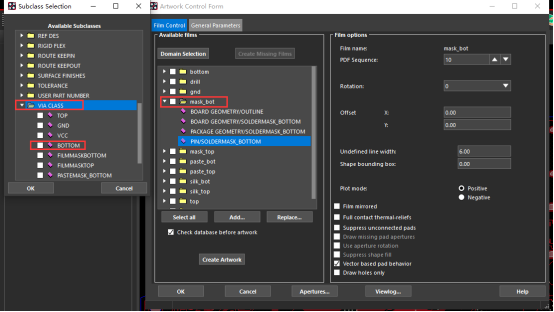
In Allegro, to set via tenting or opening, as shown in the figure: when generating Gerber files, add VIA CLASS to the solder mask layer for via opening. Add TOP for the top layer and BOTTOM for the bottom layer. If VIA CLASS is added, the Gerber files will have via openings; if VIA CLASS is not added, the vias will be tented.
About Maxipcb
Maxipcb empowers innovators to turn cutting-edge technologies into reality.We offer one-stop solutions for design, simulation, testing, PCB manufacturing, component procurement and SMT assembly, enabling efficient development, rapid deployment and risk control across the full product lifecycle.
Serving the world in communications, industrial automation, aerospace, automotive, semiconductor and beyond, we build a safer, more connected future together.

